Actions Tab
 Everything Elite
Intel can do, and everything you have taught it to do. Two sub-tabs: Built-in Commands and
Custom Commands.
Everything Elite
Intel can do, and everything you have taught it to do. Two sub-tabs: Built-in Commands and
Custom Commands.
Built-in Commands
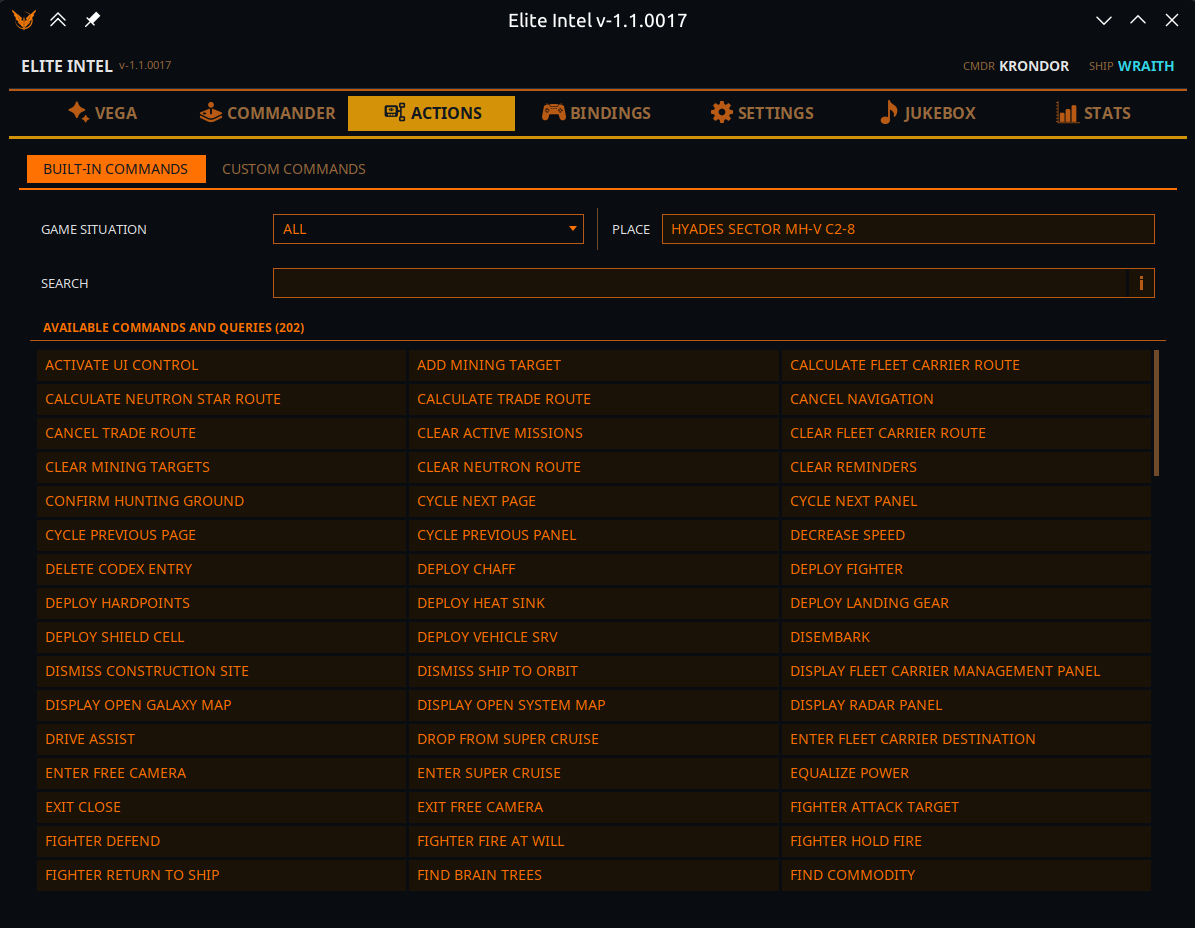
This is the answer to "what can I say right now?" — not just "what does this build know how to do?"
The scope picker
The picker at the top left holds ALL, plus every physical situation you can be in: in ship, in SRV, in fighter, in taxi; on foot (station, hangar, social space, planet); docked, landed, gliding, in supercruise, at a ring, in orbit, in deep space.
- It follows the live game — walk out of your ship and the picker moves to On foot by itself, and the list below changes with it.
- The moment you pick a scope by hand, it stops following and stays where you put it.
- ALL lists every action this build has, including ones you cannot use where you are. A specific situation lists only what is usable there.
- If the game is not running, the picker shows ALL.
Beside it, a read-only Place field shows the concrete location the game is reporting — station, body, or system.
Search
A plain, literal text filter over the listed actions: their names, their action keys, and the spoken phrases that trigger them. What you type is what is looked for.
This is deliberately not Vega's routing. Vega matches by meaning, so typing "find" there would surface commands that share no word with it and give you no way to see why. A literal search is the one you want when you are reading a list.
Available commands and queries
One combined, alphabetically sorted list across three columns, holding built-in actions, your custom macros, and queries for the chosen scope. It updates live from game events while the tab is open — including a custom command you create while it is showing.
Click any entry (or select it and press Enter) to open its details.
Command details
| Field | Meaning |
|---|---|
| Command name | The human-readable name |
| Action key | The internal identifier — this is the name the language model sees |
| Command type | Built-in binding (presses a key) · Built-in action (does something in the app) · Built-in query (answers a question) · Custom command (yours) |
| Description | What it does |
| Training phrases | The spoken phrases that route to it, in your current language |
Buttons:
- Run — execute it right now from the app, without speaking. If the command takes parameters, a small form appears first.
- Suggest a better translation — opens a pre-filled GitHub issue with the command id, your language, the current phrases, and your suggested phrases, so you can propose better wording for your locale. This is how the non-English phrase sets get better; please use it.
- Back — close the dialog.
See also: All Commands & Queries.
Custom Commands
Step-by-step walkthrough: Make Your Own Commands.
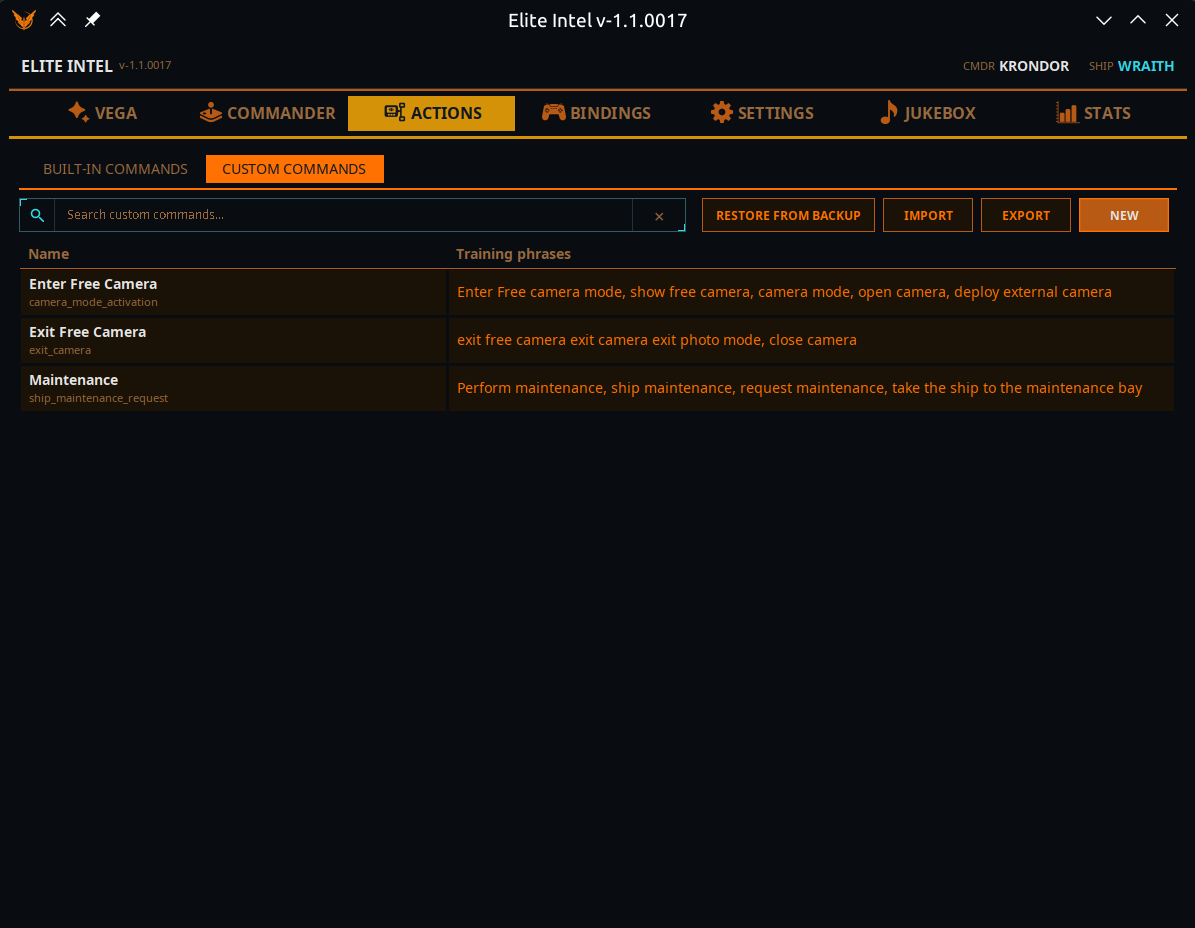
Your own macros — a named sequence of steps, triggered by things you say (or type in the game chat). Similar in spirit to VoiceAttack, but matched by meaning rather than by an exact phrase.
The table lists each command's Name and its Training phrases, with a search box above it. Click a row to open its details, which show the step Sequence and offer Run, Edit, Duplicate and Delete.
Along the top:
| Button | What it does |
|---|---|
| New | Create a command |
| Export | Pick commands and write them to a file you can share |
| Import | Read commands from a file. The import dialog marks each entry Ready, Conflict (its action key already exists and will be overwritten) or Invalid. Importing replaces your current set — it is backed up first, and you are offered Open backups folder afterwards |
| Restore from backup | Bring back the set that was replaced by an import |
Duplicate opens the editor pre-filled with a copy's name and its steps, but no phrases and no action key — write fresh phrases for it, so the two commands stay easy to tell apart.
If the custom command file is ever found corrupt on startup, Elite Intel loads from backup automatically and tells you it did so.
The command editor
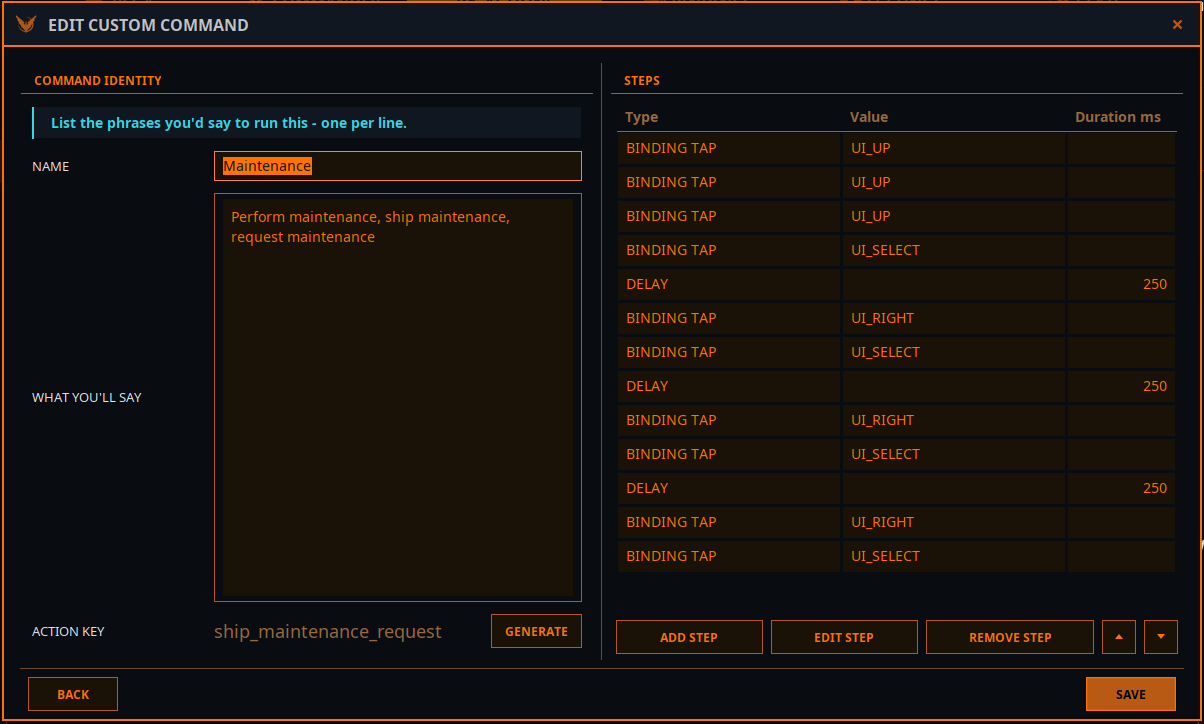
Command Identity
| Field | Notes |
|---|---|
| Name | What you call it |
| What you'll say | The phrases you would use to run it — one per line |
| Action key | The internal identifier. Press Generate and the language model writes one from your phrases. It is always English snake_case, whatever language your phrases are in, because it becomes a tool name the model sees — so it cannot be typed by hand. Add at least one phrase before generating |
Steps — the sequence, in order. Add, edit, remove, and move steps up and down.
| Step type | Fields | Use it for |
|---|---|---|
| Binding Tap | Binding | Press a bound control once |
| Binding Hold | Binding, Duration ms | Hold a bound control |
| Delay | Duration ms | Wait between steps |
| Speak | Text | Have Vega say something |
| Raw Key | Raw Key, Modifier, Duration ms | Press a key that is not bound to anything in the game |
| Type Text | Text | Type text into whichever field has focus |
Type Text goes wherever the keyboard focus is. Open the text field with an earlier step — for example Raw Key: Enter to open the comms chat — or the text arrives at your ship controls as key presses.
Prefer Binding steps over Raw Key where you can — bindings follow whatever keys the game is actually using, so they survive you re-binding a control.
Example: a route to a place you visit often
Vega's built-in navigation plots a route only to the result of a search (a trader, a market, a hunting ground…), to places she already knows (home, your carrier, a mission), or to the system on your clipboard. She will not plot to a system you simply name aloud — names are where speech recognition fails most. For a place you fly to regularly, a custom command does it exactly, every time:
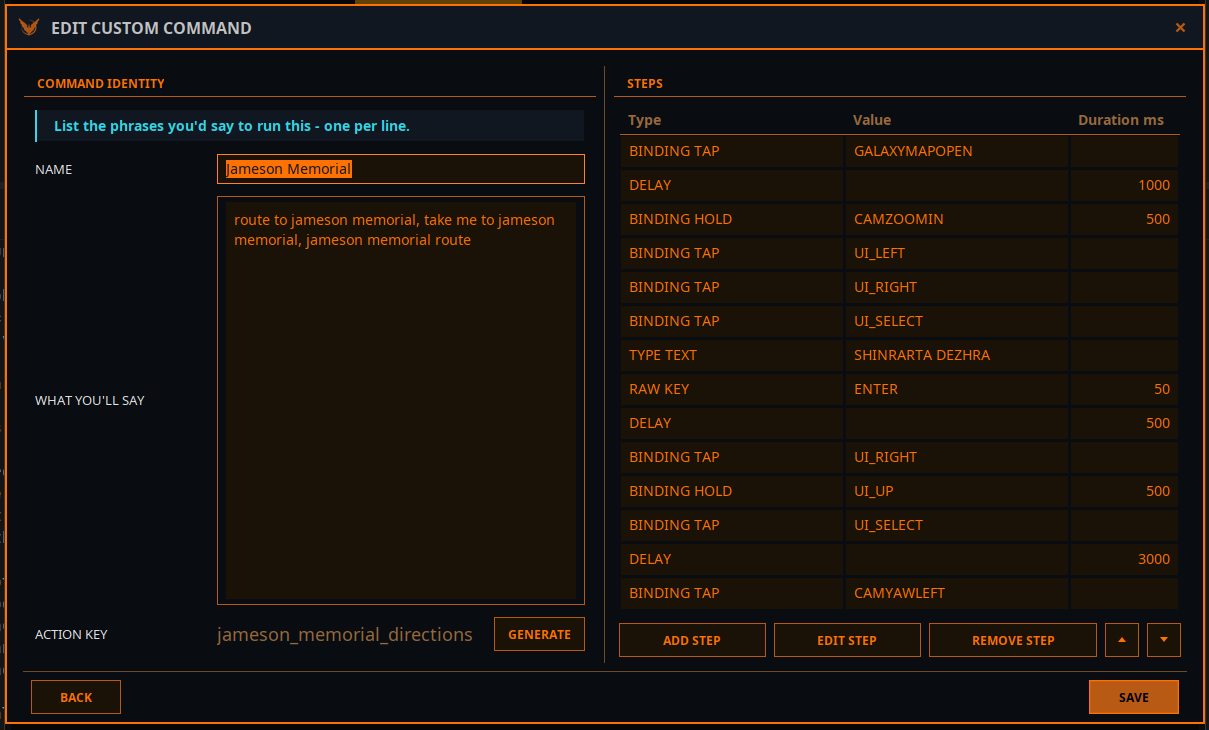
What you'll say: route to jameson memorial, take me to jameson memorial, jameson memorial route — then Generate the action key.
| # | Step | Value | Duration ms | What it does |
|---|---|---|---|---|
| 1 | Binding Tap | GALAXYMAPOPEN | Open the galaxy map | |
| 2 | Delay | 1000 | Let the map load | |
| 3 | Binding Hold | CAMZOOMIN | 500 | Zoom the map camera |
| 4 | Binding Tap | UI_LEFT | Move to the search field | |
| 5 | Binding Tap | UI_RIGHT | ||
| 6 | Binding Tap | UI_SELECT | Open the search field | |
| 7 | Type Text | SHINRARTA DEZHRA | Type the system name — no speech recognition involved | |
| 8 | Raw Key | ENTER | 50 | Search |
| 9 | Delay | 500 | Wait for the result | |
| 10 | Binding Tap | UI_RIGHT | Move into the result panel | |
| 11 | Binding Hold | UI_UP | 500 | Run up to the top button |
| 12 | Binding Tap | UI_SELECT | Plot the route | |
| 13 | Delay | 3000 | Wait for the route to be plotted | |
| 14 | Binding Tap | CAMYAWLEFT |
To make your own, copy it with Duplicate, change the name, the phrases and the Type Text system, and generate a new key.
Tips:
- Phrases can be separated by commas as well as by new lines.
- Delays depend on your PC. If the map is not ready when the next step fires, raise the delays — or move Key Input Pacing on the Bindings tab towards Slow.
- Every Binding step needs a keyboard binding in the game. If a control is unbound, the Bindings tab shows it under Missing bindings.
- Vega opens and reads the galaxy map the same way for her own route commands, so a command that starts from a freshly opened map is the reliable pattern — do not start from a map that is already open.
Using them
Speak normally. You do not have to reproduce a training phrase word for word — you have to convey the same meaning. The more distinct your phrases are from other commands, the more reliably yours will be picked.
Vega tells you at startup how many custom commands loaded, and how many failed validation.
Community 👉Matrix👈