Choosing a Local Inference Server
To run a local LLM with Elite Intel, an inference server is required. This is software that loads the AI model and serves it over a local API. It is the local equivalent of a cloud AI service, running entirely on your own hardware.
Elite Intel uses LM Studio as its inference server. It runs on Windows and Linux and serves an OpenAI-compatible API.
GPU Requirements
Hardware requirements to run game and LLM on the same machine:
- RTX 3090 24GB VRAM
- AMD RX 7800 XT
If you do not have enough hardware, use the free cloud service at 👉 console.mistral.ai 👈 — free tier, no credit card required. Setup steps: Free Cloud LLM.
A GPU reference table provided by Kevin Rank is available here: GPU Reference Guide
Install Guides
| Inference Server | |
|---|---|
| ✅ LM Studio - Linux | Fast, more model flexibility - guide shows how to setup as a server |
| ✅ LM Studio - Windows | Fast, more model flexibility - got GUI |
| 🆓 Free Cloud LLM | No GPU needed - free Mistral tier, no credit card |
LM Studio at a Glance
| LM Studio | |
|---|---|
| Required model | google/gemma-4-e4b |
| Install | One script, done |
| Runs as | Manual start, or opt-in auto-start |
| Model tuning | Flags at load time |
| Windows auto-start | Requires desktop app or Task Scheduler |
| Linux auto-start | Manual systemd setup (covered in the Linux guide) |
| Model source | HuggingFace (GGUF) |
| API port | 1234 |
| GUI | Optional desktop app |
Selection Guide
Run LM Studio locally when:
- You have an NVIDIA RTX 3090 24 GB equivalent or better. VRAM is the critical factor, not GPU speed. A GPU with only 12 GB VRAM is insufficient regardless of generation.
- You are running Elite Dangerous and the LLM on the same machine
- You want to point Elite Intel at a separate PC on your network
- You want a desktop GUI to browse, download, and manage models, or a clean headless server on a dedicated inference machine
Use the free cloud LLM instead when:
- Your GPU does not have the VRAM to run a model alongside the game
- You would rather not manage a local inference server at all
Developer Recommendation
The developer uses LM Studio with google/gemma-4-e4b (~6.3 GB). Other models may work but are
not guaranteed. Report compatibility findings on Matrix.
Why google/gemma-4-e4b specifically?
Elite Intel is a command parser and data analysis tool, not a conversational chatbot. This imposes specific model requirements. Generating natural-sounding banter is insufficient. The model must correctly infer actions from voice input and perform structured data analysis, and return results as structured data rather than a markup essay or HTML. Not all models of this size do that reliably.
The hard requirement is function calling. Elite Intel's companion does not ask a model to
describe what it would do — it offers the model a set of tools and expects it to call one, with
arguments. A model that cannot emit a well-formed tool call cannot drive the app at all, no matter
how well it writes. google/gemma-4-e4b supports this.
At roughly 6.3 GB it fits in VRAM alongside the game on a 24 GB card with headroom, which avoids CPU offload and keeps inference throughput up.
On the retired V1.0 model. Earlier versions recommended
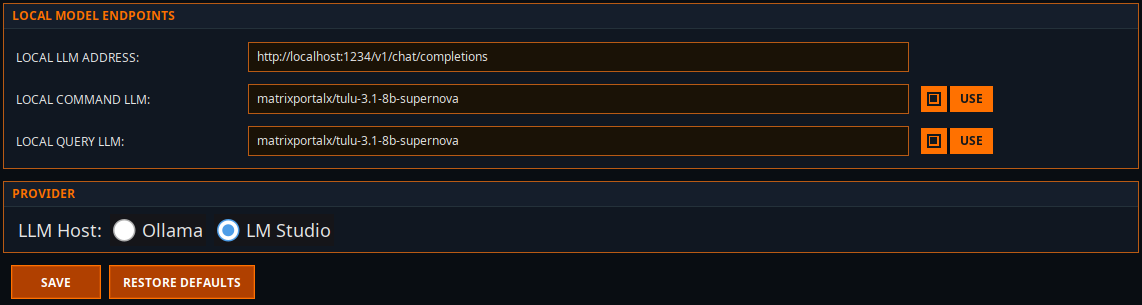
tulu-3.1-8b-supernova. It does not support function calling, so it cannot run the companion and is no longer usable with Elite Intel. If you are following an older guide, ignore it and installgoogle/gemma-4-e4b.
Can I use a different model?
Alternative models may be used, but must support function calling. Without it the app cannot execute anything.
The most frequent failure with an alternative model is an incorrect response format — the model returns prose describing an action instead of actually calling the tool.
Community 👉Matrix👈